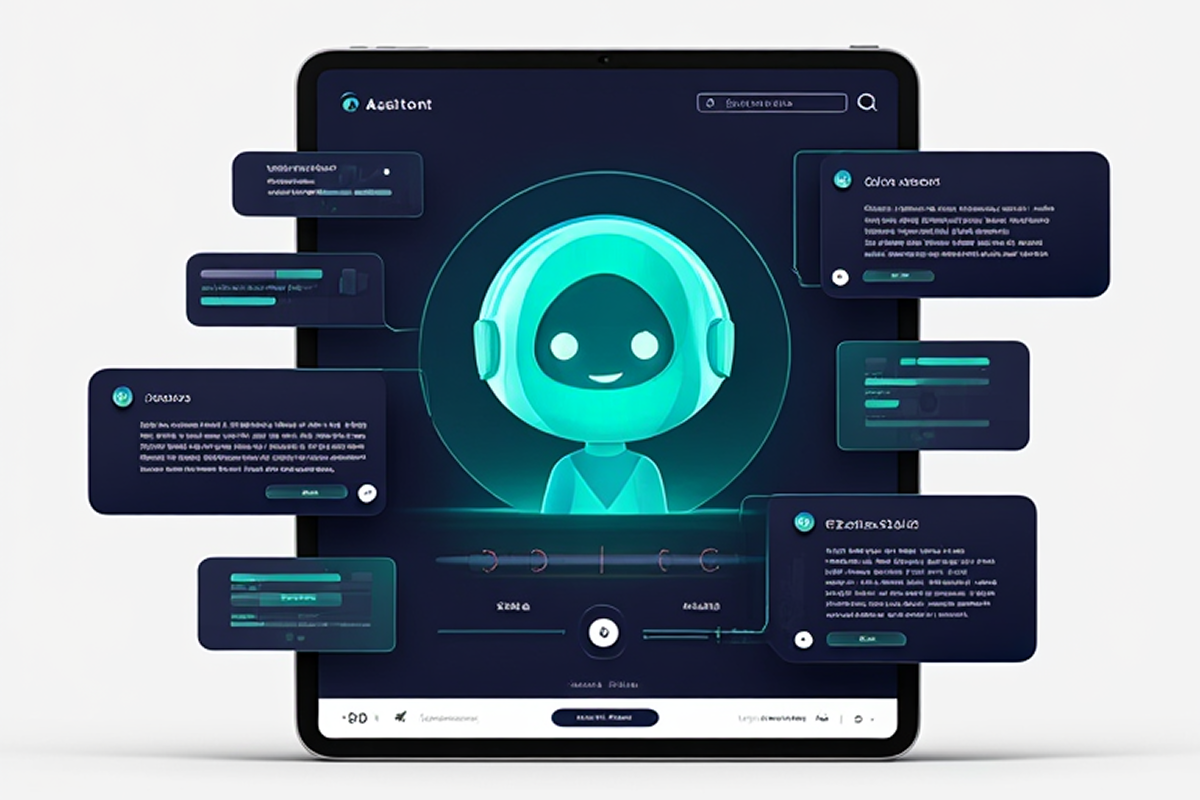
AI assistants, also known as virtual assistants, are intelligent software tools built to support users by executing commands or providing answers to queries. From organizing your daily tasks to responding to complex questions, these digital helpers have revolutionized how we engage with modern technology. Popular examples include Apple’s Siri, Amazon’s Alexa, Google Assistant, and ChatGPT by OpenAI. With the rapid growth of AI assistant development, businesses are now able to create customized, intelligent solutions that deliver personalized experiences and improve efficiency like never before.
AI assistants have become an integral part of both professional and personal routines. As reported by Statista, over 8.4 billion digital voice assistants are in use globally—surpassing the total human population. Additionally, Gartner predicts that by 2028, 75% of enterprise software developers in advanced economies will rely on at least one AI-powered coding assistant.
Developing a customizable AI assistant enables focused functionality, enhances data privacy, and helps lower operational costs. Whether for boosting business productivity or catering to personal preferences, these assistants are ideal for improving convenience and control.
This article offers a hands-on guide on how to create your own AI assistant, suitable for developers, businesses, and techies.
Understanding AI Assistants
Before diving into how to build an AI assistant, it’s essential to understand the fundamentals.
AI assistants—also referred to as virtual assistants or chatbots—are intelligent software applications that leverage artificial intelligence to execute tasks and respond to user inquiries. Their functionality ranges from handling basic instructions, like setting reminders or giving weather updates, to more advanced operations involving natural language understanding and machine learning.
Consider AI-powered language translation tools such as Google Translate. These applications showcase the incredible potential of AI in overcoming communication barriers. With over a billion downloads globally, Google Translate stands as a prime example of the far-reaching influence and usefulness of AI in everyday life. Similarly, a well-designed AI assistant app can help users navigate daily tasks, access information faster, and enjoy a more personalized, seamless digital experience.
Types of AI Assistants
According to its primary purpose, AI assistants fall into one of several broad categories:
- Chatbots are a type of AI assistant that communicate with users through text-based interfaces. Commonly used in customer service, they handle frequently asked questions and assist users throughout various workflows. If you’re aiming to improve customer engagement, learning to develop an AI chatbot can be transformative—automating replies and offering 24/7 support efficiently.
- Voice assistants like Siri, Google Assistant, and Alexa respond to spoken commands. They perform a wide range of tasks, from setting alarms and streaming music to providing weather forecasts and managing smart home devices.
- AI avatars are animated or visual representations of AI assistants, often featured in apps and websites to create more immersive, interactive user experiences. These avatars are widely used in industries like gaming, virtual environments, and digital customer service.
- Industry-specific virtual assistants are tailored for particular roles or sectors. For example, a healthcare-focused assistant might help with patient assessments, while one in the financial sector could assist users with portfolio tracking or budgeting. These specialized AI tools are designed to deliver in-depth support within their respective domains.
Different types of AI assistants are designed for specific purposes and tailored to accommodate various user interactions and contexts.
Why Create Your Own AI Assistant: Key Benefits
Creating your own AI assistant brings a host of benefits, making it a highly rewarding pursuit. In this section, we’ll dive into the key motivations for developing a personalized AI assistant and highlight the diverse advantages it can deliver.
Personalization
One of the standout benefits of developing your own AI assistant is personalization. Unlike off-the-shelf AI tools, a custom-built assistant can be tailored to fit your individual preferences, workflows, and objectives. It learns from your habits and adapts to your specific needs, offering a highly personalized experience that can boost both efficiency and everyday convenience.
Increased Efficiency
A recent McKinsey report emphasizes that AI-powered automation can boost business productivity by as much as 20%. By building a custom AI assistant, you gain the ability to streamline routine tasks, organize your calendar, set alerts, and handle a variety of functions effortlessly. This improved efficiency frees up your time and mental bandwidth, allowing you to focus on higher-value activities and strategic priorities.
Custom Solutions
Pre-built AI assistants often fall short when it comes to addressing individual needs. By developing your own AI assistant, you gain complete control to shape its features according to your exact requirements. Whether it’s streamlining professional workflows, controlling smart home devices, or supporting research activities, a personalized AI assistant can deliver targeted solutions tailored just for you.
Learning Opportunity
Building a custom AI assistant offers a great chance to expand your knowledge. It opens the door to exploring exciting areas like artificial intelligence, machine learning, and natural language processing. This hands-on experience helps you understand how these technologies function and how they can be applied to develop real-world, useful solutions.
Data Privacy

Creating your own AI assistant ensures full control over your personal data. Unlike many commercial AI platforms that may collect and monetize user information, a custom-built assistant can be designed with a strong focus on privacy and security. This approach allows you to safeguard sensitive data and operate with greater confidence and peace of mind.
Creativity
Developing your own AI assistant can be a fun and creative adventure packed with learning opportunities. It gives you the chance to experiment with innovative tech and bring your concepts to life. Whether you’re a seasoned programmer or simply passionate about technology, the process is both fulfilling and enjoyable.
Scalability
As your requirements grow, your AI assistant can grow with them. You have the freedom to expand its functionality, introduce new features, and integrate it effortlessly with additional tools and smart devices. With full control over its development, the customization options are virtually limitless, allowing you to continuously adapt it to your changing needs.
Independence
Relying on third-party AI assistants often means you’re restricted by their built-in limitations and usage policies. However, building your own AI assistant puts you in full control—you decide how it works, what it does, and how it interacts based on your personal or organizational needs. In fact, a recent PwC survey found that 73% of companies consider customization and independence key reasons for developing their own AI solutions.
Innovation
Creating your own AI assistant paves the way for innovation and discovery. It allows you to experiment with advanced technologies such as voice interaction and conversational AI, offering exciting new possibilities for both personal advancement and team development.
Integration
Having your own AI assistant as a central command center allows seamless integration with various apps and services. This unified setup simplifies your digital experience by providing one streamlined interface for tasks like managing emails, scheduling, or operating smart home devices.
In conclusion, building a personalized AI assistant offers a wealth of advantages. It merges creativity with cutting-edge tech, giving you full control over a tool that can transform the way you live and work. Ultimately, an AI assistant can become an essential part of your digital ecosystem.
Why Invest in AI Assistant Development for Your Business?
Building an AI assistant is more than just adding a chatbot to your website — it’s about creating a smart, reliable digital partner that can handle tasks, engage users, and improve overall efficiency. Companies today are turning to AI assistant development to provide better customer support, automate daily processes, and deliver a more personalized experience to every user.
Whether you want to launch a simple chatbot or a sophisticated voice-enabled virtual agent, having the right AI assistant development services makes all the difference. A well-designed AI assistant can answer questions instantly, help customers navigate your products or services, and even manage bookings or orders, all without human intervention.
If you’re considering creating your own AI assistant app, focusing on user-friendly design and strong conversational abilities is crucial. With professional AI assistant app development, businesses can build powerful tools that work across multiple platforms, including mobile and web, giving customers a seamless experience wherever they interact with your brand.
For many organizations, investing in AI assistant application development is a strategic move to stay ahead of the competition. These advanced solutions don’t just improve support — they can also boost sales, gather valuable user insights, and strengthen brand loyalty.
How to Make Your Own AI Assistant From Scratch
When it comes to creating an AI assistant, the process itself is just as important as the final outcome.
As the old proverb says, “Even the longest journey begins with a single step.” In the world of artificial intelligence, this path is made up of ten carefully designed stages—each one an essential piece that shapes the overall functionality of your assistant.
If your goal is to develop an AI assistant not only for personal use but also for business—particularly with voice functionality—you might explore platforms like byVoice. It provides powerful tools for building AI-driven voice agents, intelligent IVRs, and chatbots.
Remember, the development journey plays a vital role in shaping the success of your AI assistant.
Step 1: Define Your AI Assistant’s Purpose
Every AI assistant is built with a particular goal in mind. Before diving into the technical process of AI assistant app development, it’s essential to clearly identify the function your assistant will serve.
Do you need a personal assistant to help organize your day-to-day activities, or are you aiming to create a website chatbot that supports customer interactions? Establishing the assistant’s core purpose early on will shape the direction of your project from start to finish.
Start by pinpointing the specific problems your AI assistant is meant to solve—this clarity will lay the foundation for its successful design and implementation.
- Personal Assistants
Examples: Tools like Siri or Google Assistant that assist users with everyday activities such as checking the weather, setting reminders, or managing schedules.
Common Applications: Organizing appointments, creating task lists, and sending timely alerts.
- Customer Service Bots
Examples: Website-based chatbots found on platforms like Amazon or airline support pages.
Common Applications: Answering frequently asked questions, resolving customer issues, and directing users to helpful resources.
- Automation Assistants
Examples: Bots powered by platforms like Slack or workflow tools such as Zapier.
Common Applications: Streamlining repetitive workflows, like generating reports, syncing data, or updating records automatically.
- Specialized AI Solutions
Examples: AI tools tailored for specific sectors, such as virtual health assistants like Babylon Health or shopping bots that offer personalized product suggestions.
Common Applications: Delivering targeted assistance in niche areas—whether it’s helping patients with symptoms or offering expert advice in finance, retail, or tech.
Key Questions to Define the Use Case
- What problems will your AI assistant solve?
- What tasks will it perform?
- Who is the target audience for your AI assistant?
Target Audience
Knowing Your Users Is Key to Building a Smart AI Assistant
Creating an effective AI assistant begins with a deep understanding of your target audience. Tailoring its features and functionality to user needs will enhance its usefulness and adoption. Consider the following elements:
- User Demographics
Understand who your users are—factors like age group, occupation, and comfort with technology matter.
Example: A tech-savvy millennial may seek productivity hacks and seamless integrations, while older users might prioritize accessibility in healthcare-focused AI.
- Usage Habits & Interaction Style
Identify how users prefer to engage.
- Do they lean toward voice interaction or typed responses?
- Are they accessing your assistant via mobile phones, desktop computers, or smart home devices?
-
- Context & Setting
Consider the environment in which your assistant will operate.
Example: In professional settings, integration with tools like Microsoft Teams, Slack, or Google Workspace can greatly enhance relevance and productivity.
- Aligning With Clear Objectives
By clearly defining your assistant’s purpose based on user behavior and context, you can make strategic decisions that shape the development process more effectively.
Step 2: Choose the Right Technology Stack
Choosing the appropriate technology stack is a vital step and should align with both your technical skill level and the specific features you want your AI assistant to offer. Below are some commonly adopted tools and frameworks:
Natural Language Processing (NLP): To enable your assistant to understand and respond in human language, consider using NLP tools like spaCy, NLTK, or Hugging Face Transformers. These frameworks are great for processing and generating natural language.
Machine Learning Frameworks: If your AI assistant requires learning capabilities, frameworks like TensorFlow or PyTorch are ideal for building and training models that can adapt and improve over time.
Speech Recognition and Voice Output: For handling voice input and generating spoken replies, explore tools like CMU Sphinx for speech recognition and Google Text-to-Speech for voice synthesis. These libraries help bring voice functionality to your AI assistant.
Selecting the right stack ensures that your assistant is both functional and scalable as your project evolves.
Choose a Programming Language
Choosing the Right Programming Language for Your AI Assistant
Selecting the appropriate programming language plays a vital role in how efficiently your AI assistant will function. Your decision should align with both the goals of the project and your technical know-how.
Python
Python remains a go-to language in the AI world because of its clean syntax and vast collection of specialized libraries.
- Popular Tools: TensorFlow, PyTorch, spaCy, NLTK
- Best Suited For: Natural language processing, machine learning models, and voice analysis systems.
JavaScript
Ideal for web-based AI implementations that require interactive user experiences.
- Frameworks & Libraries: Node.js, Botpress, React
- Best Suited For: Developing responsive front-end UIs and real-time web interactions.
Other Language Options
- Java: Commonly used in enterprise environments for building robust, scalable applications.
- C++: Chosen for tasks requiring high-speed execution, such as developing voice recognition engines or system-level components.
Install Development Tools
Set Up Your Development Environment for Building an AI Assistant
Before diving into development, it’s essential to equip yourself with the right tools for writing, testing, and debugging your code efficiently.
Code Editors and IDEs
Choose a development environment that enhances productivity and streamlines workflows:
- PyCharm: Tailored for Python, it offers intelligent code assistance, robust debugging, and integrated tools for AI agent development.
- Visual Studio Code (VS Code): A lightweight, customizable editor with rich plugin support for multiple languages including Python and JavaScript.
- Jupyter Notebook: Perfect for data exploration and machine learning experiments, allowing real-time code execution and visualization.
Version Control
Keep your codebase organized and track every change using version control systems:
- Tool: Git
- Repositories: Host your projects on platforms like GitHub, GitLab, or Bitbucket to collaborate and manage code changes efficiently.
Environment Management
Maintain consistency across different machines and deployment stages:
- Docker: Create isolated, portable containers to package your application and its dependencies, making deployment easier and more reliable.
Configure Your Environment
Proper configuration ensures all tools and libraries work seamlessly together.
Set Up Virtual Environments:
- Create isolated Python environments using venv or Anaconda to manage dependencies without conflicts.Install Required Packages:
- Use pip or conda to install packages.Set Up API Keys:
- Many tools (like OpenAI or Google Cloud) require API keys for access.
- Secure these keys using environment variables.
Maintain Documentation
Good documentation ensures that your environment is reproducible and easy to navigate. Include:
- A requirements.txt file listing all dependencies.
Clear setup instructions for collaborators.
- Version control notes to track updates.
Step 3: Collect and Prepare Data

Data serves as the foundation that powers any AI assistant. For your assistant to accurately interpret and generate human language, access to large and diverse datasets is essential. You can obtain this data through public repositories, web scraping, or by building your own custom dataset—manually gathering and labeling text to fit your specific needs. High-quality data is key to training a truly effective and intelligent AI system.
Identify Data Requirements
Determine the type and volume of data your AI assistant needs based on its use case.
- Natural Language Data:
- Required for training NLP models to understand and generate human-like responses.
- Examples: Conversations, text documents, customer queries, or chatbot logs.
- Speech Data (if applicable):
- Needed for speech recognition and synthesis.
- Examples: Audio recordings, transcribed texts, or phonetic datasets.
- Domain-Specific Data:
- Industry-specific information your assistant may need to answer queries.
- Examples: FAQs for customer service, medical records for healthcare, or product catalogs for e-commerce.
- Behavioral Data:
- User interactions and preferences to enable personalization.
- Examples: Search histories, feedback logs, or clickstream data.
Sources of Data Collection
The quality and variety of your AI assistant’s data directly impact its performance. Depending on the assistant’s purpose, data can be sourced from multiple channels:
- Public Datasets (For General AI Training)
Leverage existing datasets to jumpstart model development:
- Common Crawl: A vast archive of web pages that can be mined for diverse textual data.
- Google’s Natural Questions: A dataset of authentic search queries with human-annotated answers.
- LibriSpeech: A popular open-source corpus of read English speech, ideal for voice recognition training.
- SQuAD (Stanford Question Answering Dataset): Useful for teaching your AI to understand and respond to questions with high accuracy.
These resources are ideal for training foundational language or speech models.
- Proprietary or Internal Company Data (For Business Use Cases)
Use internal data to tailor your AI assistant to specific business needs:
- Chat logs from customer support interactions.
- Archived emails and user inquiries.
- Internal product manuals or knowledge base documentation.
This ensures your assistant is aligned with brand tone, products, and customer expectations.
- Web Scraping
Extract relevant data from web pages using tools like:
Make sure to review the site’s robots.txt file and respect data usage regulations like GDPR or CCPA to avoid legal issues.
- Crowdsourced Data
For customized datasets, consider platforms such as:
- Amazon Mechanical Turk
- Toloka (by Yandex)
These services allow you to gather structured data, including labeled audio clips, human dialogues, or intent classification samples.
- Data from Real User Interactions
Once your AI is in beta testing or live, collect feedback from actual usage:
- Monitor how users phrase questions or commands.
- Identify common requests or misunderstood queries.
- Use this data to fine-tune your assistant’s accuracy and performance.
By combining public resources with tailored, real-world data, you can train your AI assistant to be more intelligent, adaptive, and relevant to your target audience.
Ensure Data Quality
The success of your AI assistant hinges on high-quality data. Poor or irrelevant data can lead to inaccurate results.
- Data Cleaning:
- Remove duplicates, incomplete entries, and irrelevant data points.
- Tools: Pandas (Python library), OpenRefine.
- Data Labeling:
- Assigning intents like “Check Balance” or “Order Status” to queries.
- Categorizing emails as “Complaint,” “Inquiry,” or “Feedback.”
- Label data for supervised learning. For instance:
- Tools: Label Studio, Dataloop AI.
- Balancing the Dataset:
- Ensure a diverse range of examples for all potential inputs.
- Example: If training a bilingual assistant, balance data for both languages equally.
- Removing Bias:
- Identify and eliminate biased data that could lead to unfair outcomes.
- Example: If your dataset predominantly contains male voices, your assistant may struggle with female voice recognition.
Step 4: Preprocessing and Data Cleaning
Once you acquire the data, it is essential to preprocess it. This involves cleaning and organizing the data to ensure its suitability for training. Preprocessing tasks typically include:
- Data Augmentation (Optional):
- Generate variations of your data to improve model generalization.
- Examples:
- For text: Synonym replacement or paraphrasing.
- For audio: Adding background noise or altering pitch.
- Tools: TextAttack (for NLP), Audiomentations (for audio).
- Preprocessing Steps:
- Tokenization: Splitting text into words, sentences, or subwords.
- Example Tools: spaCy, NLTK.
- Normalization:
- Removing special characters, converting text to lowercase, or standardizing formats.
- Vectorization:
- Converting text to numerical formats like embeddings.
- Example Tools: Word2Vec, FastText, BERT embeddings.
Maintain Data Privacy and Compliance
Ensure data collection complies with privacy laws and ethical standards:
- Regulations to Follow:
- GDPR (General Data Protection Regulation) for European users.
- CCPA (California Consumer Privacy Act) for U.S. users.
- Techniques for Privacy:
- Anonymization: Remove personally identifiable information (PII) from datasets.
- Federated Learning: Train models without directly accessing user data.
Store and Manage Data
Organize your data to ensure scalability and easy access during development.
- Data Storage Options:
- Cloud Storage: AWS S3, Google Cloud Storage, or Azure Blob Storage for large-scale data.
- Databases:
- Relational: PostgreSQL, MySQL.
- Non-Relational: MongoDB, Firebase.
- Data Management Tools:
- Apache Kafka: For real-time data pipelines.
- DVC (Data Version Control): Tracks data changes alongside code.
Testing Your Data
Validate your data before using it to train models.
- Data Splitting: Divide into training, validation, and test sets.
- Metrics for Validation:
- Accuracy of labeled intents.
- Balance across categories or intents.
- Coverage of domain-specific terms or queries.
Step 5: Training Your AI Assistant
Wondering how to train your own AI assistant? The process centers around using sophisticated machine learning algorithms to teach the assistant how to understand and respond accurately to user input. While the exact steps will depend on the tools and frameworks you’re using, the training process typically includes:
- Feeding your preprocessed data into the model.
- Fine-tuning the model on your specific tasks.
- Evaluating the model’s performance and making improvements.
Understand the Model Types
- Pre-trained Models:
- These are pre-built models trained on vast datasets and can be fine-tuned for specific tasks.
- Examples:
- GPT (Generative Pre-trained Transformer): For conversational AI.
- BERT (Bidirectional Encoder Representations from Transformers): For understanding context in text.
- T5 (Text-to-Text Transfer Transformer): For tasks like summarization or translation.
- Custom Models:
- Developed from scratch to suit niche or highly specific tasks.
- Examples: A customer support assistant tailored for banking-specific jargon or processes.
- Hybrid Approaches:
- Combine pre-trained models with custom layers to optimize performance for a specific domain.
Choose the Right Framework
AI frameworks simplify model development and training.
- TensorFlow: Flexible framework suitable for building and fine-tuning deep learning models.
- PyTorch: Popular for research and production, especially for NLP and vision models.
- Hugging Face Transformers: Focused on pre-trained NLP models like BERT, GPT, and T5.
- Rasa: Specifically designed for building conversational AI with intent classification and entity recognition.
Define Metrics for Success
Set measurable goals to evaluate the effectiveness of your AI assistant during training.
Accuracy
This indicates the overall percentage of correct outputs your AI assistant generates. It’s a basic but vital metric for understanding general model performance.
Precision & Recall
- Precision: Shows how many of the returned results were actually relevant.
- Recall: Indicates how many of the relevant results were successfully retrieved.
These two together help you gauge both the selectivity and completeness of your AI assistant’s responses.
F1 Score
This metric provides a balance between precision and recall by calculating their harmonic mean. It’s especially useful when there’s an uneven distribution of classes or labels.
BLEU (Bilingual Evaluation Understudy)
Used to assess the quality of machine-generated text by comparing it with human-written reference sentences. It’s widely applied for evaluating translation, summarization, and text generation tasks.
WER (Word Error Rate)
A key metric for speech recognition systems, WER measures how accurately spoken words are transcribed into text. Lower scores indicate higher transcription accuracy.
Train the Model
- Split the Data:
- Divide your dataset into:
- Training Set: 70% for model training.
- Validation Set: 20% for tuning parameters and preventing overfitting.
- Test Set: 10% for final evaluation.
- Initialize Training:
- Load your preprocessed data into the framework or library.
- Start the training process, adjusting hyperparameters like learning rate and batch size.
- Fine-Tune the Model:
- Pre-trained models often require domain-specific fine-tuning.
- Example: Fine-tuning GPT on customer support conversations for a retail company.
- Iterative Improvements:
- Evaluate the model using validation data.
- Adjust hyperparameters, add more data, or tweak the architecture based on results.
Address Challenges During Training
- Overfitting:
- Occurs when the model memorizes training data rather than generalizing from it.
- Solution: Use techniques like dropout, early stopping, or regularization.
- Underfitting:
- Happens when the model fails to capture patterns in the data.
- Solution: Use more complex architectures, provide more data, or increase training epochs.
- Slow Training:
- Large datasets or complex models may require significant computational resources.
- Solution: Use GPUs or TPUs for faster processing.
- Class Imbalance:
- If certain intents or entities are underrepresented, the model may perform poorly on them.
- Solution: Oversample minority classes or use weighted loss functions.
Test and Validate the Model
- Evaluate on the Test Set:
- Run the trained model on unseen data to measure real-world performance.
- Ensure the model generalizes well and avoids overfitting.
- Simulated User Testing:
- Interact with the AI assistant in a controlled environment.
- Example: Test how it handles edge cases like unexpected queries or mispronunciations.
- Feedback Loop:
- Incorporate user feedback to identify shortcomings.
- Example: If users frequently ask for clarifications, adjust the assistant’s response generation.
Step 6: Design the User Interface

The user interface (UI) plays a pivotal role in your AI assistant’s overall functionality—acting as the main bridge between the user and the system. A well-designed UI not only enhances usability but also impacts how effectively the assistant can understand and respond to user input. When designing the interface, be sure to keep the following in mind:
- Dialogue Flow: Create a structured conversation map that outlines how your AI assistant will navigate different user interactions. By anticipating various user inputs and assigning the right responses, you can maintain a natural and coherent conversation experience.
- User Experience (UX): Focus on building an assistant that’s easy to use, responsive, and engaging. A smooth, intuitive experience increases user satisfaction and encourages ongoing interaction, making your assistant both helpful and enjoyable to use.
Define the Mode of Interaction
- Voice-Based Interface: Voice interfaces are ideal for hands-free scenarios where users prefer spoken interaction—commonly seen in smart home devices like Google Assistant or Amazon Alexa.
Key Design Elements to Consider:
- Response Clarity: Ensure the assistant delivers brief, clear, and context-aware answers so users quickly get what they need without confusion.
- Conversational Intelligence (NLP): Emphasize smooth dialogue flow and reduce the robotic tone by leveraging advanced Natural Language Processing. This helps maintain a natural, human-like conversation.
- Voice Customization: Allow users to choose from different voice profiles—varying by accent, tone, or gender—for a more personalized experience.
Example: Google Assistant enables users to select from a variety of voice styles to match their preference
- Text-Based Interface:
- Ideal for chatbots in messaging apps, websites, or mobile apps (e.g., Facebook Messenger bots, live chat tools).
- Design Considerations:
- Typing Suggestions: Display predictive responses or quick-reply buttons.
- Example: Buttons like “Yes,” “No,” or “Tell me more” reduce typing effort.
- Error Handling: Use fallback messages for unrecognized queries.
- Example: “I’m not sure I understand. Could you rephrase that?”
- Visual Elements: Incorporate emojis, formatting, or multimedia like images and videos.
- Hybrid (Voice + Text):
- Combines the flexibility of text-based UIs with the convenience of voice inputs.
- Example: Siri supports both voice commands and text-based queries.
- Graphical Interface:
- Uses visual components like buttons, sliders, or icons to enhance interaction.
- Example: A food delivery assistant may use images of menu items for selection.
Focus on Usability Principles
- Simplicity and Clarity:
- Avoid clutter and complex navigation. Users should easily find what they need.
- Example: Google’s minimalist design philosophy ensures clarity.
- Consistency:
- Maintain uniform design elements across devices and platforms.
- Example: A banking assistant should use the same color scheme, font, and tone on mobile apps and websites.
- Feedback and Confirmation:
- Provide visual or auditory cues to confirm user actions.
- Example: A chatbot typing indicator reassures users that their input is being processed.
- Accessibility:
- Design for users with diverse needs.
- Enable screen reader support.
- Include voice-to-text options.
- Example: Apple’s VoiceOver ensures accessibility for visually impaired users.
Use Conversation Design Best Practices
- Design for Turn-Taking:
- Ensure smooth back-and-forth exchanges.
- Example: When scheduling an appointment, ask for the preferred date, time, and location in separate steps.
- Avoid Overwhelming the User:
- Keep responses short and digestible. Break down complex information.
- Example: Instead of saying, “Your order will arrive tomorrow between 9 a.m. and 12 p.m.,” break it into two messages:
- “Your order will arrive tomorrow.”
- “Expected delivery time: 9 a.m. to 12 p.m.”
- Context Awareness:
- The assistant should remember the context within a session.
- Example:
- User: “What’s the weather in New York?”
- Assistant: “It’s sunny, 25°C.”
- User: “What about tomorrow?”
- Assistant: “Tomorrow, it will be rainy, 18°C.”
Incorporate Visual and Interactive Elements
- Rich Media Responses:
- Use images, carousels, videos, or maps to enhance engagement.
- Example: A travel assistant could display flight options as a carousel with prices and timings.
- Quick Reply Options:
- Add buttons for common responses to save users time.
- Example: A banking chatbot might show options like:
- “Check Balance”
- “View Transactions”
- “Speak to Support”
- Progress Indicators:
- Show users the progress of multi-step processes.
- Example: Booking a ticket could display: Step 1 of 3: Select Dates.
- Error Messages:
- Design helpful and non-frustrating error messages.
- Example: Instead of “Invalid input,” say, “I couldn’t process that. Could you try again?”
Tools for Designing the UI
- Prototyping and Design:
- Figma: Collaborative interface design for web and mobile apps.
- Adobe XD: Intuitive platform for creating prototypes and wireframes.
- Sketch: Popular tool for interface design.
- Testing and Feedback:
- UserTesting: Gather real-world feedback from target audiences.
- Hotjar: Analyze user interactions and gather insights through heatmaps or recordings.
- UI Frameworks for Implementation:
- Botpress: For creating chatbots with built-in UI tools.
- Dialogflow: Includes a customizable chat interface for text and voice bots.
- Microsoft Bot Framework: Provides templates for building conversational UIs.
Iterate and Improve
- A/B Testing:
- Experiment with different designs or responses to determine what resonates most with users.
- Analyze User Feedback:
- Regularly collect feedback to refine the assistant’s interface.
- Monitor Metrics:
- Track KPIs like user engagement, drop-off rates, and session durations to measure UI effectiveness.
Step 7: Implement Voice Recognition (Optional)
If you plan for your AI assistant to handle voice inputs, this phase involves integrating a speech recognition system. You’ll need to choose a solution that aligns well with your chosen tech stack, enabling your assistant to accurately process and respond to spoken commands.
Understand the Role of Voice Recognition
- How It Works:
- Converts spoken input into text using ASR.
- Transcribes text is processed for intent recognition and response generation.
- Use Cases:
- Smart Home Devices: Controlling appliances (e.g., Google Home, Amazon Alexa).
- Customer Service: Automating phone-based inquiries (e.g., IVR systems).
- Accessibility: Assisting visually impaired users or those with mobility challenges.
Choose a Voice Recognition API or Framework
Many APIs and frameworks simplify the integration of voice recognition into your AI assistant:
- Popular APIs:
- Google Cloud Speech-to-Text:
- Features: Real-time speech recognition, multilingual support, and word timestamps.
- Example: Used by Google Assistant for seamless voice input processing.
- Amazon Transcribe:
- Features: Custom vocabulary support and speaker identification.
- Example: Enhances Alexa’s ability to differentiate speakers in conversations.
- Microsoft Azure Speech Services:
- Features: Custom models for specific accents and industry jargon.
- Example: Utilized in Cortana for understanding diverse user accents.
- IBM Watson Speech to Text:
- Features: Customizable acoustic models and keyword spotting.
- Example: Used in enterprise applications for secure, domain-specific transcription.
- Open-Source Frameworks:
- Kaldi:
- Features: Highly customizable and suitable for research or niche applications.
- Example: Used by researchers to develop domain-specific voice recognition models.
- DeepSpeech (Mozilla):
- Features: Neural network-based transcription optimized for real-time performance.
- Example: Ideal for smaller-scale projects or apps.
Preprocessing Speech Input
- Noise Reduction:
- Filter out background noise to improve accuracy.
- Tools: Noise cancellation libraries like Webrtc-audio-processing.”
- Speech Segmentation:
- Break audio into manageable chunks for processing.
- Use timestamps from APIs like Google Cloud or Azure for segmentation.
- Custom Vocabulary and Phrases:
- Train the ASR to recognize specific terms.
- Example: A healthcare assistant may need to understand medical terms like “hypertension” or “ECG.”
Integrate ASR with NLP
- Speech-to-Text Conversion:
- The ASR engine transcribes the spoken input into text.
- Example: “What’s the weather like today?” becomes textual input.
- Text Processing with NLP:
- Pass the transcribed text into the NLP pipeline for intent recognition.
- Frameworks: Dialogflow, Rasa, or custom NLP engines.
- Generate Voice Responses (Optional):
- Convert text-based responses into audio using Text-to-Speech (TTS).
- Tools: Google Cloud Text-to-Speech, Amazon Polly, or Azure TTS.
Design for Error Handling
- Recognizing Misunderstandings:
- Detect when speech is unclear or input cannot be processed.
- Example: If the user says “Call Mom,” but the ASR processes “All Bomb,” prompt: “Did you mean ‘Call Mom’?”
- Providing Fallbacks:
- Offer alternative interaction modes, such as switching to text input.
- Example: “I didn’t quite catch that. Could you type it instead?”
Optimize for Performance and Accuracy
- Accent and Dialect Handling:
- Train the ASR to understand diverse accents and regional dialects.
- Example: Use Google’s multilingual support for users who mix languages in speech.
- Context Awareness:
- Leverage context to improve transcription accuracy.
- Example: If a user asks for “Java,” the assistant determines whether they mean coffee or the programming language based on prior context.
- Latency Minimization:
- Ensure real-time transcription and response generation.
- Techniques: Use low-latency APIs or process audio in smaller chunks.
Test the Voice Recognition System
- Simulated User Testing:
- Evaluate performance in various environments, such as noisy rooms or quiet spaces.
- Real-World Testing:
- Gather feedback from diverse users to identify common issues.
- Evaluate Key Metrics:
- Word Error Rate (WER): Measures the accuracy of transcriptions.
- Latency: Tracks the time taken to process and respond to inputs.
- Intent Recognition Accuracy: Assesses how well the NLP engine understands transcribed speech.
Real-World Examples
- Apple Siri:
- Uses a combination of ASR and NLP to provide voice-driven assistance across devices.
- Advanced noise suppression ensures Siri works effectively in loud environments.
- Google Assistant:
- Offers seamless integration with devices and supports multilingual queries.
- Example: Users can switch between languages mid-conversation.
- Domino’s Pizza Voice Assistant:
- Customers place orders through voice commands with high accuracy for menu-specific terms.
Step 8: Testing and Debugging
Rigorous testing is essential to verify that your AI assistant functions correctly and responds as expected. This includes evaluating it with a wide range of inputs—even uncommon or unexpected ones—to identify and fix bugs or inconsistencies. Consistent testing helps ensure reliable performance and a smooth user experience.
Define Testing Goals
- Performance Validation:
- Ensure the assistant performs tasks accurately and efficiently.
- Example: Confirm that the assistant provides accurate weather forecasts when queried.
- User Experience (UX) Assessment:
- Verify that interactions are smooth, intuitive, and engaging.
- Example: The assistant should respond promptly and avoid overly technical language.
- Error Handling:
- Test how the assistant handles incorrect or unclear user inputs.
- Example: When a user says, “Tell me a joke about the sun,” and the assistant doesn’t know one, it should reply gracefully: “I don’t know any sun jokes, but here’s a classic one about the stars!”
Types of Testing
- Unit Testing:
- Test individual components, such as the NLP engine, voice recognition, or database queries.
- Tools: PyTest, JUnit, or Mocha for testing backend functionality.
- Integration Testing:
- Verify how different components work together, such as ASR feeding text into the NLP engine or the UI displaying appropriate responses.
- Tools: Postman for API testing, or Selenium for UI interaction tests.
- Functional Testing:
- Confirm the assistant performs specific tasks as intended.
- Example: Test if “Set an alarm for 7 a.m.” creates an alarm correctly.
- Usability Testing:
- Involve real users to evaluate ease of interaction and satisfaction.
- Example: Ask beta testers to complete tasks and rate their experience.
- Tools: UserTesting, Hotjar, or Google Analytics for feedback.
- Performance Testing:
- Evaluate speed, reliability, and scalability under different loads.
- Example: Test how the assistant responds to 100 simultaneous users.
- Tools: Apache JMeter, OpenText, or BlazeMeter.
- Security Testing:
- Ensure user data is secure, especially in sensitive applications like banking or healthcare.
- Example: Test for vulnerabilities to unauthorized access or data breaches.
- Tools: OWASP ZAP, Burp Suite, or Nessus.
- Regression Testing:
- Ensure new features or bug fixes don’t break existing functionality.
- Tools: Use test automation frameworks like Cypress or TestNG.
- Voice and NLP Testing:
- Check the accuracy of speech recognition, text understanding, and intent matching.
- Tools: Botium Box, Rasa Test Stories, or custom scripts to simulate various inputs.
Debugging Common Issues
- Incorrect Intent Recognition:
- Problem: Misinterpretation of user queries.
- Solution:
- Train the model on more diverse and representative datasets.
- Add synonyms and edge cases to the NLP pipeline.
- Example: Expand training for variations like “weather in Paris” and “forecast for Paris.”
- Latency or Slow Responses:
- Problem: Delayed processing or response generation.
- Solution:
- Optimize algorithms and reduce model size if possible.
- Use caching for frequently asked queries.
- Example: Cache responses for “What’s the capital of France?” to avoid repetitive computations.
- Inconsistent Behavior:
- Problem: Different responses to similar queries.
- Solution:
- Test conversation flows to ensure consistent responses.
- Example: If “Play a song” triggers Spotify but “Play music” fails, update the intent-matching rules.
- UI Glitches:
- Problem: Errors in graphical or conversational UI elements.
- Solution:
- Test UI on various devices and platforms.
- Use debugging tools like Chrome DevTools or Fiddler for web-based UIs.
- Audio Input/Output Errors:
- Problem: Voice commands aren’t properly recognized or responses are unclear.
- Solution:
- Enhance noise suppression and adjust TTS settings.
- Example: Reduce background interference for a smart home assistant.
Automate Testing
- Set Up Test Cases:
- Automate repetitive tests to save time and ensure consistency.
- Example: Test 1,000 queries covering all intents using automated scripts.
- Tools for Automation:
- Appium: Test mobile app interactions for AI assistants.
- Botium: Specialized for testing conversational interfaces.
- TensorFlow Test: For verifying machine learning models.
Step 9: Deployment

After you have finished developing and testing your AI assistant, the next step is deploying it to reach your target audience. The specific deployment methods may vary depending on the chosen platform, whether through your website or as a standalone app. The key is to ensure that your AI-powered assistant effectively reaches and engages with its intended users.
Choose a Deployment Platform
- Platform Options:
- Web Applications: Deploy your assistant as a chatbot or widget on websites.
- Tools: Dialogflow, Tidio, or Zendesk Chat.
- Example: An e-commerce site using an AI assistant to guide customers through product recommendations.
- Mobile Applications: Integrate the assistant into Android or iOS apps.
- Frameworks: Flutter, React Native, or platform-specific SDKs.
- Example: A fitness app providing voice-guided workouts via the AI assistant.
- Smart Devices: Deploy on IoT devices such as smart speakers, home automation systems, or wearables.
- Tools: AWS IoT, Google Assistant SDK, Amazon Alexa Skills Kit.
- Messaging Platforms: Add the assistant to platforms like WhatsApp, Facebook Messenger, Slack, or Microsoft Teams.
- Tools: Twilio, BotPress, or Microsoft Bot Framework.
- Voice-Enabled Devices: Deploy on devices that rely heavily on voice interactions, such as smart TVs or car infotainment systems.
Set Up the Hosting Environment
- Cloud Hosting:
- Benefits: Scalability, flexibility, and ease of deployment.
- Providers:
- Amazon Web Services (AWS): Elastic Compute Cloud (EC2), Lambda for serverless computing.
- Google Cloud Platform (GCP): App Engine, Cloud Functions for AI-specific tasks.
- Microsoft Azure: AI and machine learning tools tailored for enterprise applications.
- Heroku: Simple deployment for smaller-scale projects.
- On-Premises Hosting (For sensitive applications):
- Benefits: Greater control over data privacy and compliance with regulations.
- Use Cases: Banking, healthcare, or government projects where data security is critical.
- Example: A hospital deploying an AI assistant to handle patient inquiries within its internal network.
- Hybrid Hosting:
- Combine cloud and on-premises resources for flexibility and control.
- Example: Store sensitive user data on-premises while using the cloud for processing and analytics.
Prepare for Deployment
- Code Optimization:
- Minimize the size of your application to improve load times.
- Example: Use lightweight machine learning models for mobile deployments.
- Build Docker Containers:
- Ensure your application runs consistently across environments.
- Tools: Docker, Kubernetes for container orchestration.
- Example: Package the AI assistant and deploy it on cloud services seamlessly.
- Test in a Staging Environment:
- Set up a staging environment that mirrors the production setup.
- Run tests to ensure the assistant works correctly under production conditions.
Monitor Deployment Performance
- Real-Time Monitoring:
- Tools:
- Prometheus: Collect performance metrics.
- Grafana: Visualize data in dashboards.
- New Relic or Datadog: Comprehensive monitoring solutions.
- Example: Monitor server load and response time for peak usage hours.
- Error Logging and Alerts:
- Tools: ELK Stack (Elasticsearch, Logstash, Kibana), Sentry, or Splunk.
- Example: Track API failures and notify developers immediately.
Plan for Updates and Maintenance
- Continuous Integration/Continuous Deployment (CI/CD):
- Automate the process of deploying updates.
- Tools: Jenkins, CircleCI, GitLab CI/CD.
- Example: Deploy bug fixes or new features without downtime.
- Feedback Collection:
- Use surveys or analytics to gather user feedback post-deployment.
- Example: Add a “Did this help?” button to evaluate user satisfaction.
- Regular Maintenance:
- Schedule periodic updates to improve functionality and fix issues.
- Example: Update the NLP model to recognize new slang or terminology.
Promote Your AI Assistant
- Marketing Strategy:
- Announce the launch through social media, email campaigns, and press releases.
- Example: Create a demo video showing the assistant in action.
- User Onboarding:
- Provide tutorials or guides to help users understand how to interact with the assistant.
- Example: Include a walkthrough for using the AI assistant in your app.
- Build User Trust:
- Emphasize privacy and security measures in marketing materials.
- Example: “We prioritize your privacy with end-to-end encryption and data protection.”
Step 10: Continuous Improvement
Launching your AI assistant is just the beginning. Ongoing performance tracking and gathering user feedback are key to keeping it effective and relevant. Use this data to fine-tune its features, enhance functionality, and adapt to user behavior and changing technology trends—ensuring it continues to deliver real value over time.
Collect Feedback
- User Feedback:
- Directly ask users about their experience.
- Example: Include a simple thumbs-up/thumbs-down or a short survey after each interaction.
- Tools: Google Forms, Typeform, or built-in app feedback modules.
- Behavioral Analytics:
- Track user behavior to identify pain points or frequently used features.
- Example: Monitor if users often rephrase the same query, which could indicate poor intent recognition.
- Tools: Google Analytics, Hotjar, or Heap.
- Error Logs:
- Analyze system logs to find recurring errors or bottlenecks.
- Example: Identify intents with low accuracy or frequent fallbacks.
- Tools: Sentry, ELK Stack, or Datadog.
Monitor Performance
- Key Performance Indicators (KPIs):
- Track metrics that reflect the assistant’s success. Examples include:
- Response time.
- Task completion rate (e.g., how often a user achieves their goal).
- User retention rate.
- Sentiment analysis scores from user interactions.
- Error Rate Tracking:
- Keep an eye on the frequency of incorrect responses or crashes.
- Example: If the assistant’s failure rate exceeds 5% for intent recognition, investigate further.
- Real-Time Monitoring:
- Ensure the assistant operates smoothly under varying conditions.
- Tools: Prometheus, Grafana, or AWS CloudWatch for performance metrics.
Analyze and Enhance the AI Model
- Expand the Training Dataset:
- Add new data to improve the assistant’s ability to handle edge cases or new queries.
- Example: Include data for recently trending topics or seasonal events.
- Re-train the Model:
- Update the machine learning models periodically to refine predictions and intent recognition.
- Example: A weather assistant can be re-trained to better understand queries like “Is it sweater weather today?”
- Utilize Active Learning:
- Incorporate user feedback into the training pipeline to continuously refine the model.
- Example: If users often correct the assistant’s responses, add those corrections to the training set.
- Test New Algorithms:
- Experiment with state-of-the-art AI frameworks or architectures, such as GPT models or BERT for NLP tasks.
- Example: Replace a rule-based chatbot with a transformer-based model to improve contextual understanding.
Add New Features
- Identify User Demands:
- Use feedback and analytics to prioritize features that users want.
- Example: Add multi-language support if analytics show significant usage from non-native speakers.
- Incorporate Integrations:
- Expand the assistant’s capabilities by integrating with other services or platforms.
- Example: Enable compatibility with smart home devices or third-party apps like Spotify or Uber.
- Stay Competitive:
- Regularly review competitors’ offerings and industry trends to ensure your assistant remains innovative.
- Example: Add proactive features, such as reminders or daily briefings, to stay ahead.
Enhance Scalability and Security
- Scalability Improvements:
- Ensure the assistant can handle a growing user base.
- Example: Optimize server architecture or implement serverless solutions for cost-effective scaling.
- Security Updates:
- Regularly audit and update security protocols to protect user data.
- Example: Implement advanced encryption standards or comply with new regulations like GDPR or HIPAA.
Stay Updated with Technology Trends
- Industry Insights:
- Follow advancements in AI, NLP, and related technologies.
- Example: Explore how generative AI like GPT or Llama models can enhance conversation quality.
- Community Engagement:
- Participate in forums, conferences, and hackathons to stay informed and connected with peers.
- Example: Join platforms like AI Alignment Forum, OpenAI community, or Kaggle for collaboration and inspiration.
- Tools and Frameworks:
- Regularly evaluate new tools that can streamline development and improve performance.
- Example: Experiment with emerging frameworks like Hugging Face Transformers or LangChain.
Wrapping Up

Creating an AI assistant is both a complex and rewarding process. It not only immerses you in the fascinating world of artificial intelligence but also allows you to craft a powerful tool that can streamline your daily activities—or even evolve into a promising business solution. With a well-defined purpose, the right tech stack, and consistent effort, you can successfully build a personalized AI assistant from scratch and watch it grow into a valuable digital companion.
Remember, the journey may come with challenges, but the knowledge and strategies outlined in this guide will help steer you in the right direction. So, gear up to take the first step in developing your own AI assistant—and watch your vision come to life.



 Contact Us












 Book Free Consultation